For producers changing DAWs
Switch DAWs without losing your hands.
Years of shortcuts live in your fingers. In a new DAW some of them do something else, and a few quietly change your audio. Switchover finds every one for your exact pair, puts the new names on ideas you already know, and drills the right keys in until they stick.
What's inside
One app, rebuilt around your two DAWs.
Pick the DAW you know and the one you're learning. Every view changes to match: the traps, the names, the drills, the recipes.
94 commands side by side. Search them, or press a shortcut you know and see what it does in both DAWs.
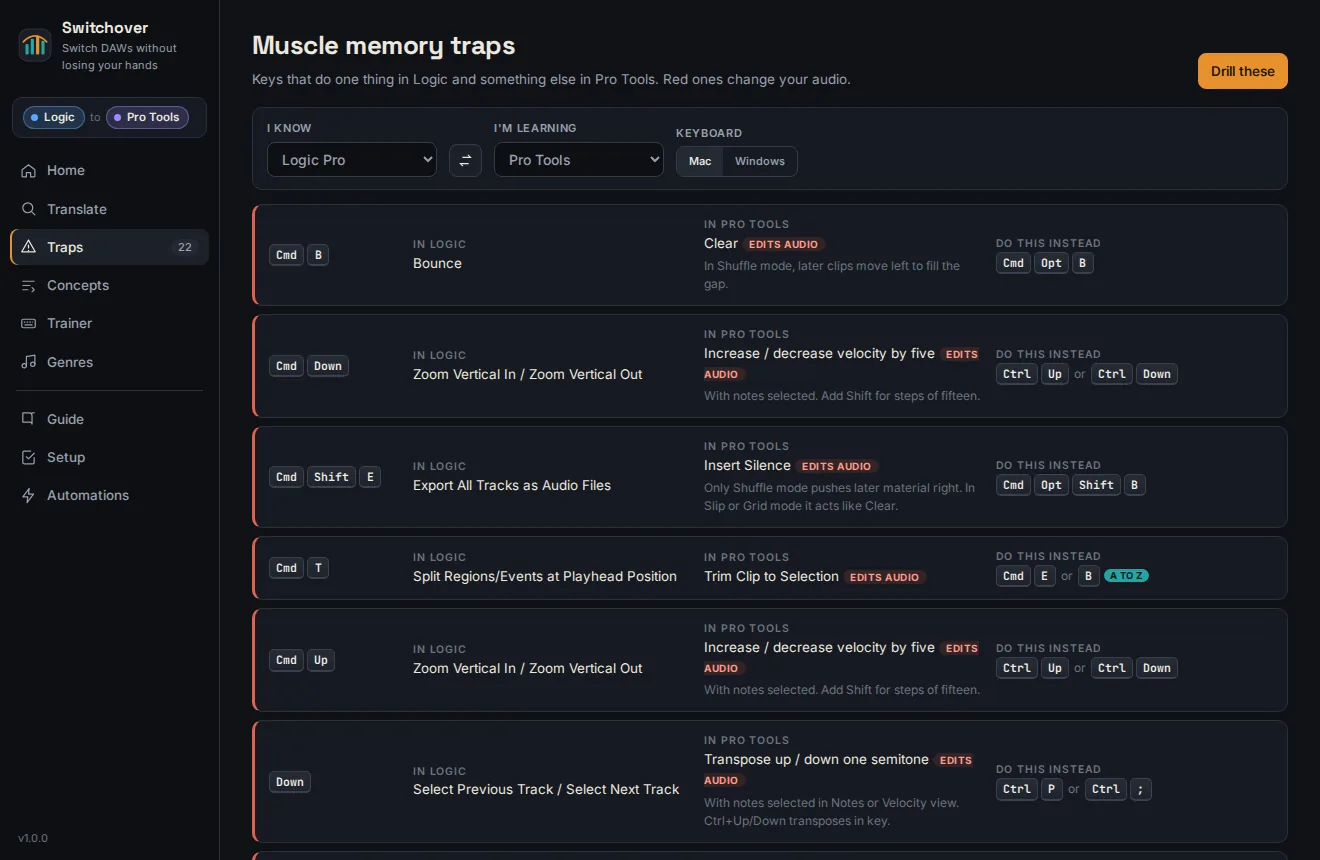
Generated for your exact pair and ranked by damage, so the keys that change audio come first.
35 ideas under each DAW's own name. Take lanes, stacks, warping, bounce in place, return tracks.
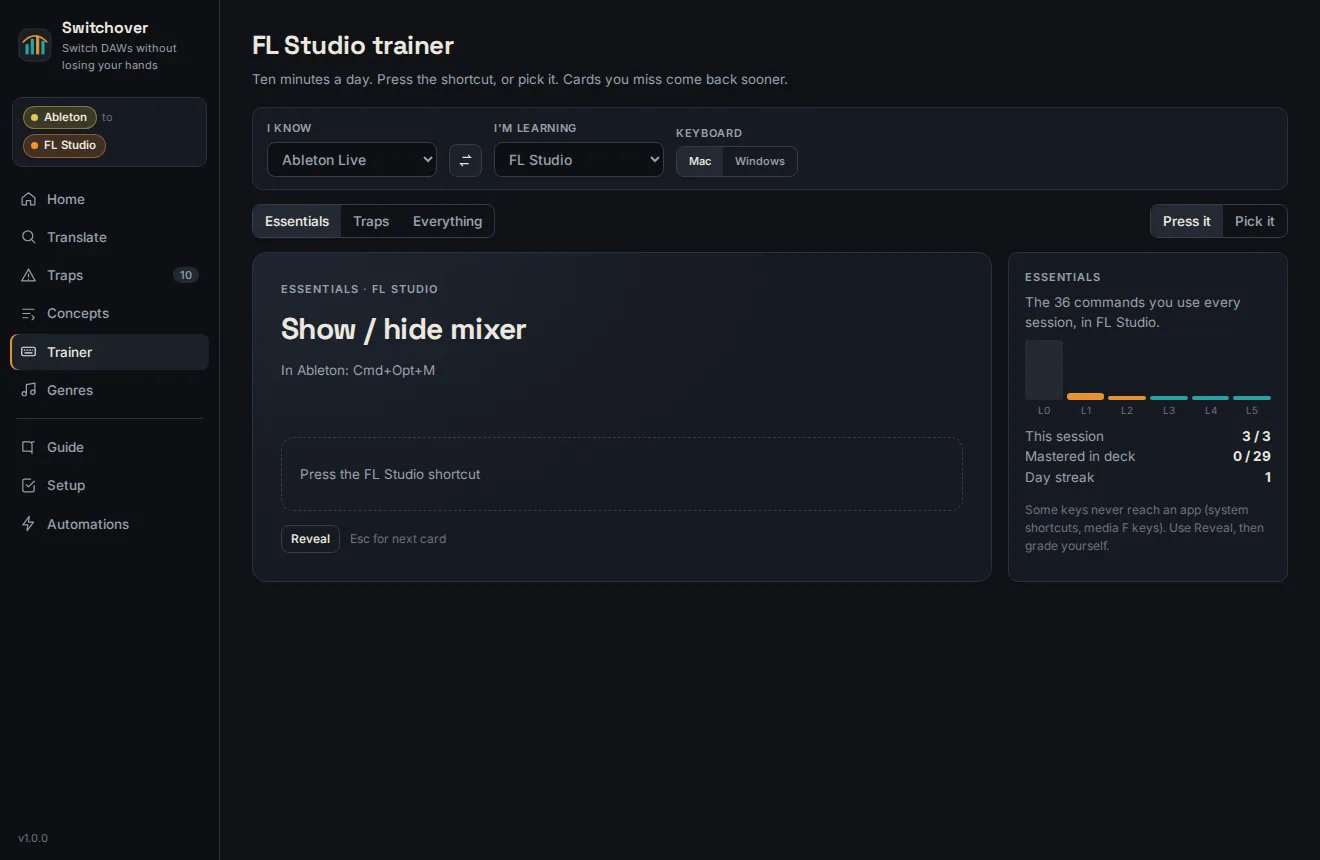
Ten minutes a day. Press the real shortcut, or pick it. Cards you miss come back sooner.
Eight recipes from rock to lo-fi, written in the new DAW's words and keys.
A printable switching guide for every pair. 32 PDFs covering Mac and Windows keys.
A first day checklist for the DAW you're learning: audio settings, templates, and where the key command editor lives.
Mac only. Stem prep for any DAW, tape style varispeed, and Pro Tools session building.
Concepts
Same idea, five names.
Half of learning a DAW is learning what it calls the things you already do. The DAW you're learning is underlined.
Genre recipes
Eight ways to make a record, in Pro Tools's own words.
Mac automations
The boring parts, done for you.
Buttons in the app, or the swo command in Terminal if you prefer typing.
Stem prep for any DAW
Clean names, kit order, one sample rate and file format. Drag the folder into any DAW and the tracks land in order.
Tape style varispeed
Speed a whole folder of stems up or down like tape, pitch and tempo together, by semitones or by target tempo.
Pro Tools sessions
Import stems onto named, coloured tracks, build sessions from layouts, drop markers, print versioned bounces. Uses Avid's official scripting.
Automations need the Mac app. The Pro Tools ones need Pro Tools open on the same Mac.
Pricing
Pay once. Keep it.
Trap cheat sheet
- One page for your pair
- Every trap, ranked by damage
- The key to use instead
Switchover
- Mac app, plus a browser edition that runs on Windows
- All 20 DAW pairs, Mac and Windows keys
- Translate, traps, concepts and the trainer
- Eight genre recipes in your new DAW's words
- 32 printable switching guides
- Stem prep, varispeed and Pro Tools automations on Mac
- A year of updates
PayPal or card. 14 day refunds.
Switchover Studio
- Everything in Switchover
- Five people, each on their own computers
- For studios, schools and producer collectives
- One receipt
Need more than five seats? Email us.
Questions
Before you buy.
Which DAWs and versions?
Logic Pro 12.3, Pro Tools 2026.4, Ableton Live 12.4, FL Studio 2026.1 and Cubase Pro 15, mapped from each maker's own documentation. Any of them can be the one you know or the one you're learning.
I'm on Windows. Does it work?
The browser edition runs on Windows and has everything except the automations. Logic Pro only runs on macOS, so pairs with Logic show Mac keys for it.
I changed my key commands. Now what?
Switchover teaches each DAW's factory defaults, which is what you'll meet in studios, classrooms and tutorials. If you've remapped a key, your own setting wins in your DAW.
How do I install the Mac app?
Unzip it and run the installer in Terminal. It builds the app on your Mac with Apple's free command line tools and asks before installing anything. macOS 12 or later.
Does it change anything in my DAW?
No. It's a reference and a trainer. The Pro Tools automations only do something when you run them, and they talk to Pro Tools through Avid's official scripting.
What if it's not for me?
Email within 14 days of buying and you get a full refund. No form, no questions.
What's the Studio license?
One purchase for five people: a studio's engineers, a class, a group of producers who share a room. Each person installs it on their own computers.
Is this made by Avid, Apple or Ableton?
No. Switchover is independent and not affiliated with Apple, Avid, Ableton, Image-Line or Steinberg. Their product names are used only to say what Switchover works with.